
Release Notes
Product Name:   eVue and eFit
Version Number: 5.40
Release Date:   April, 2026
Table of Contents
- Introduction
- Improvements
- Bug Fixes
- Deprecations
- Known Issues
- Upcoming Features
- Patch Release 5.40.2
Introduction
Welcome to the April 2026 release of Efferent eVue and eFit. This release includes refinements across several core workflows, with improvements to viewport configuration, touch-based study selection, UI optimizations, and more consistent image scrolling behavior across devices. Updates were also made to orthopedic planning, including streamlined access to settings.
In addition, this release addresses a range of issues related to annotation and display interactions, routing and data handling, upload processing, and multiframe playback performance. Together, these updates enhance workflow consistency, improve usability, and strengthen overall system reliability.
Improvements
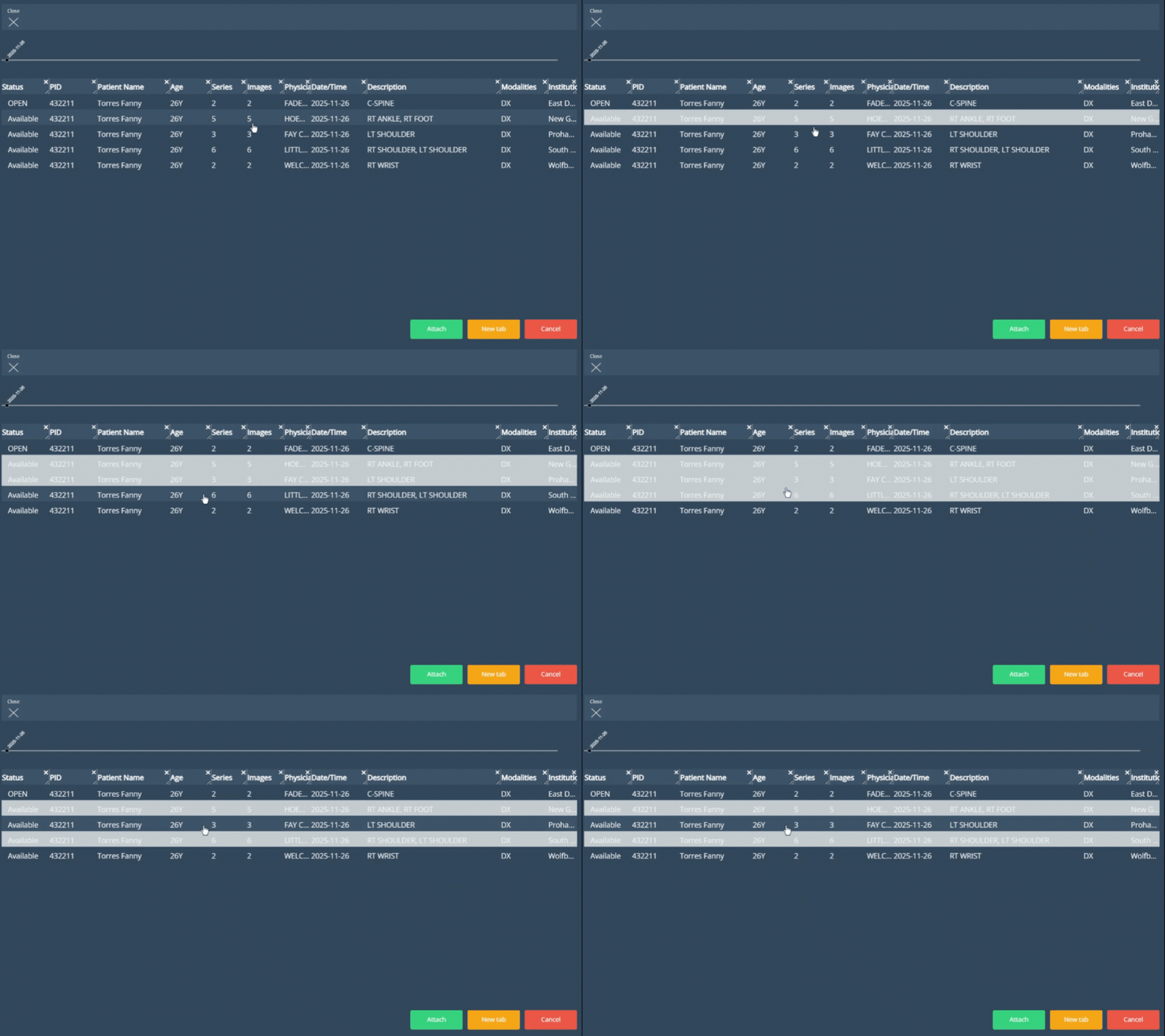
Streamlined Multi-Study Selection in Related Worklist
To improve study selection in the Related list across devices, multi-select has been simplified by removing the need to hold the Ctrl key. Multiple studies can now be selected or deselected with a single click or touch on each study before opening them through the available actions.
Direct Open Actions in Related list
To streamline the study comparison workflow in Related, the Attach, New Tab, and Cancel action buttons are now persistently available at the bottom of the view for use after selecting one or more studies. This reduces steps in the process by providing direct access to attach studies for comparison or open them in a separate tab.
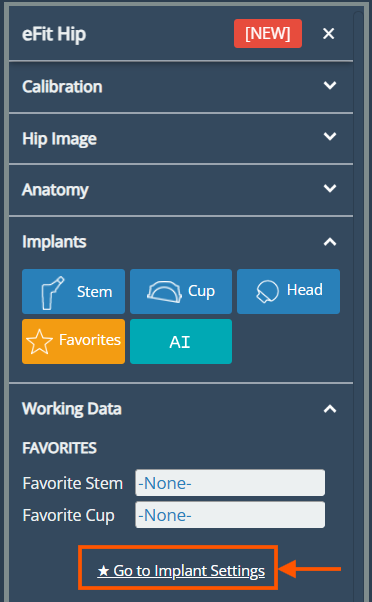
Direct Access to Ortho Settings from the eFit Panel
Users can now access Implant Settings directly while templating, without leaving the open eFit panel. If a saved template needs to be modified or a user orthopedic preference adjusted, it is no longer necessary to close the panel and navigate to Settings. Direct access is available within the Favorites content under the Implants section.
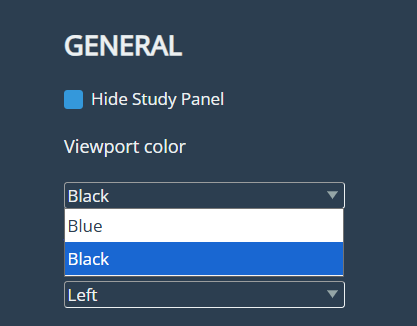
Viewport Background Color Configuration
As part of the imaging view preferences, users can now customize the viewport background color, with the option to choose between the standard blue background and black. This option is available in User Settings, within the Imaging Study section at the bottom of the settings panel.
Bug Fixes
Resolved Marker Background Coverage Issue During Printing: In some cases, the marker background did not extend across the full word when printing.
Resolved Duplicate Physician Names in DICOM Routings: In the DICOM Routing functionality, different destinations were being treated as separate physicians when their names contained minor differences, such as periods or commas. This has been corrected to ensure routing is sent to the intended destination as expected.
Resolved Annotation and Calibration Errors Within Stitch: Errors affecting measurement and calibration annotations within stitch images were corrected to support proper work on composed images.
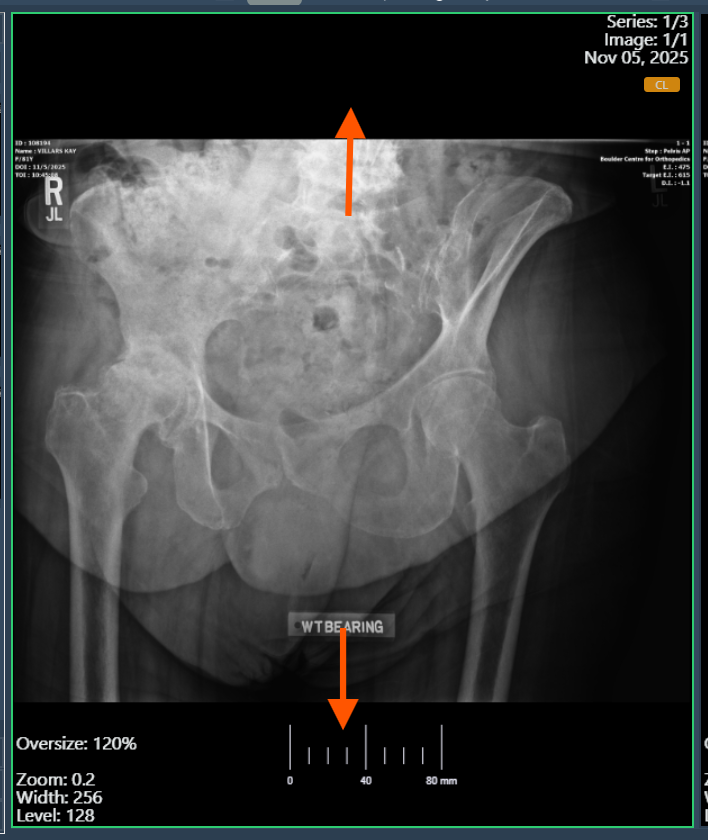
Resolved Unexpected Zoom Effect During Image Scrolling: Resolved an issue where DX images appeared slightly zoomed when scrolling through a series. Image display is now consistent during series navigation.
Resolved Issue Affecting ‘Check and Apply’ During Upload: Resolved an issue in the Edit workflow of the upload process where the Check and Apply button was not displaying validation messages for newly entered demographic values.
Resolved Cine Playback Hang in Multiframe Studies: Some multiframe studies contained unsupported data that prevented Cine playback and blocked the selected series from playing. This issue has been resolved by adding support for this data, allowing proper visualization of the series in Cine mode.
Deprecations
None
Known Issues
Annotation drawings may be cumbersome. We are actively working on improving the experience for creating and editing annotations.
Upcoming Features
None
Patch Release 5.40.2
Improvements
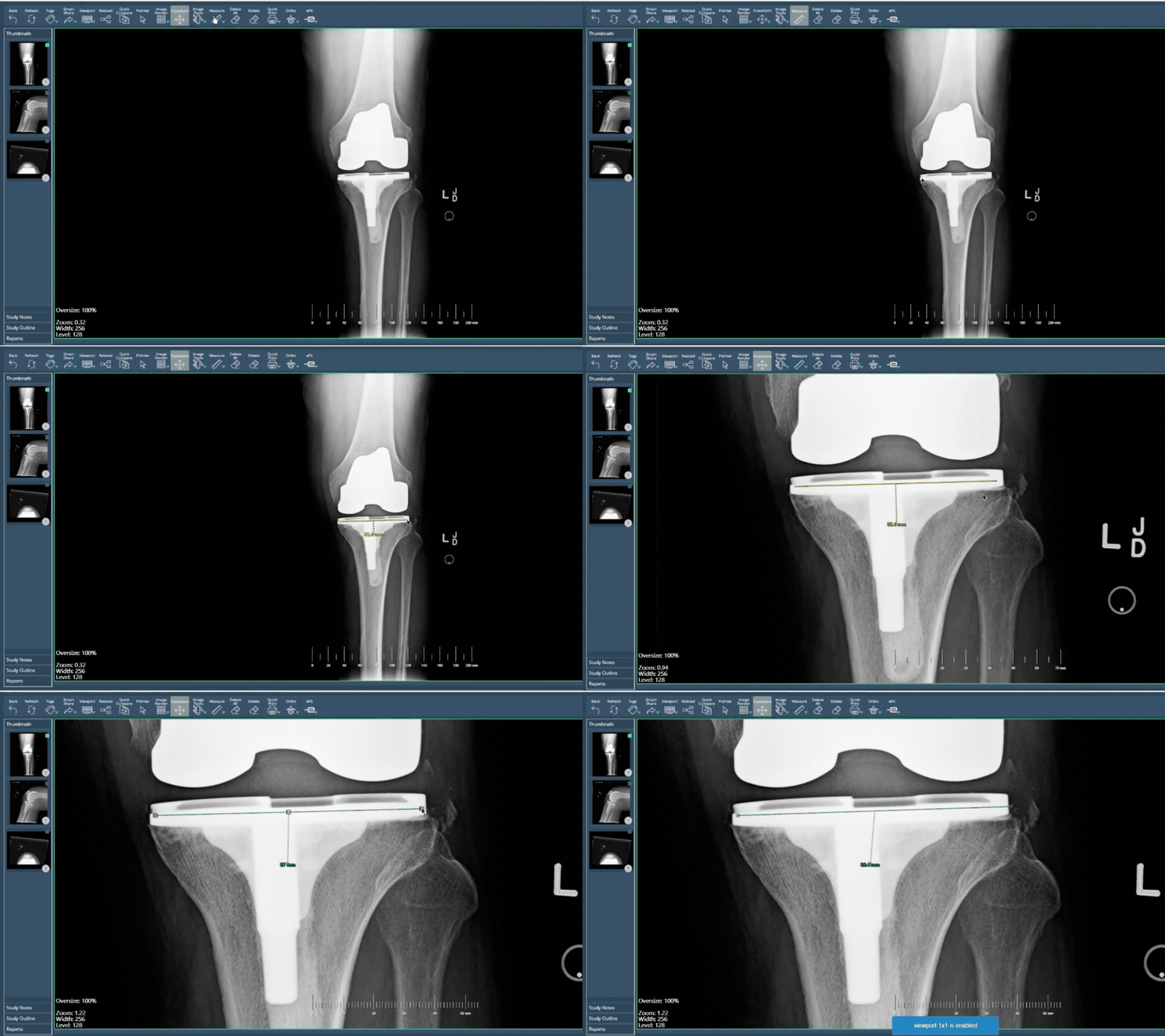
- Annotation Interaction Improvements: The system now responds more naturally to common annotation workflows where measurement and transformation tools are frequently alternated. Users can seamlessly continue interacting with the image using zoom and rotation controls immediately after completing a measurement annotation, or even while drawing the annotation itself. Additionally, annotations now highlight in green when hovered over, allowing for faster, clearer, and more precise editing.
Bug Fixes
- Exact Search results Fix: the Exact option within the Search functionality was not returning the expected results. With this correction, searches performed with Exact enabled will now return only results that precisely match the entered values.
Thank you for being a valued user of Efferent. We hope these updates enhance your experience. For any questions or feedback, please contact our support team at support@efferenthealth.com