
Release Notes
Product Name:   eVue and eFit
Version Number: 5.43
Release Date:   July, 2026
Table of Contents
Introduction
Welcome to the July 2026 release of Efferent eVue and eFit. This release introduces enhancements focused on workflow efficiency, study management, data privacy, and templating usability. Users can now better manage Shared Worklist content, benefit from improved Quick Compare study selection, and configure ZIP and ISO downloads with support for anonymized downloads. Within eFit, Shoulder and Pelvic templating workflows have been expanded with new productivity features, including Favorites support and Key Image creation capabilities.
Improvements
Anonymous Download Option for ZIP and ISO Downloads
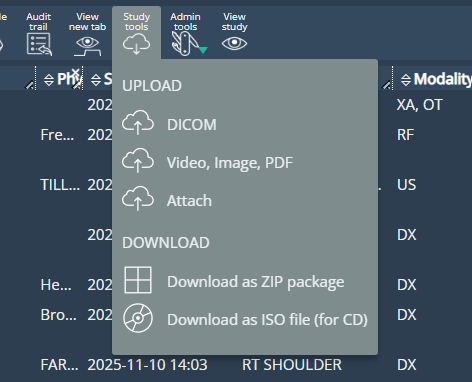
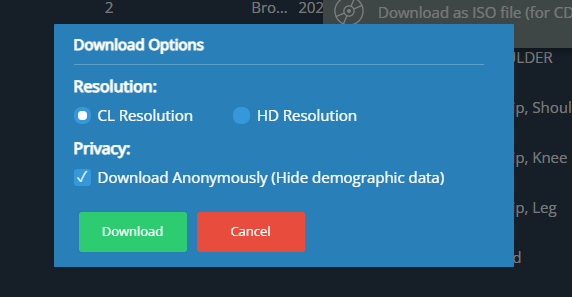
ZIP and ISO downloads now include an option to download studies anonymously by removing patient demographic information prior to download. To support this enhancement, the download workflow has been updated to present a centralized download configuration dialog before initiating the download.
The dialog allows users to select an image resolution and choose whether demographic information should be included in the downloaded files. This helps protect sensitive patient information by reducing the risk of unintentionally sharing PHI.
Select the download format
Select the study resolution and privacy
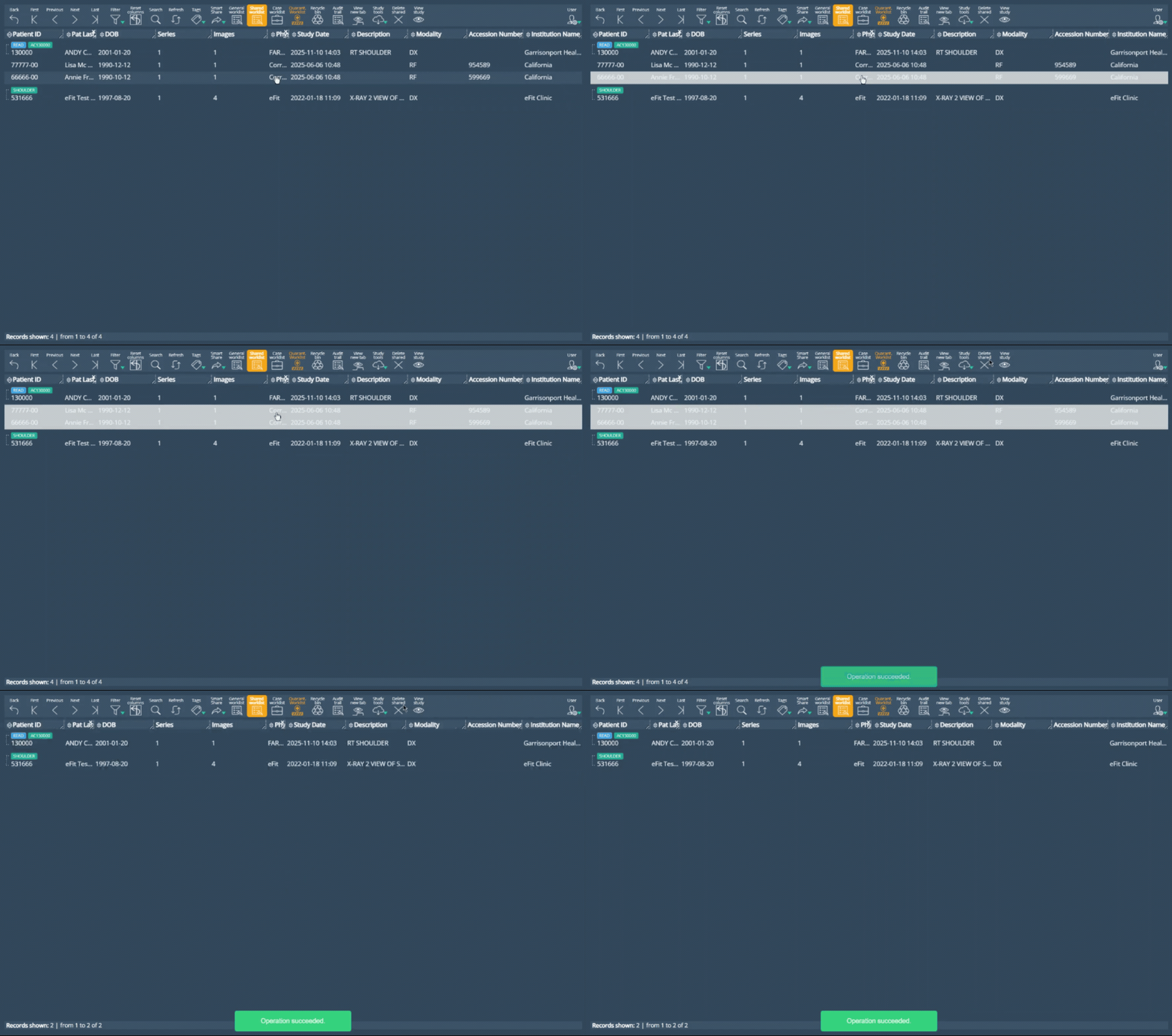
Added Ability to Remove Studies from the Shared Worklist
Users can now remove studies from their Shared Worklist using the new Delete Shared option. When a study is removed, it is no longer displayed in the Shared Worklist for that user, allowing better management of shared studies.
The action is available to users whose roles include access to the Shared Worklist feature and can be applied to one or more selected studies. Validation and confirmation messages provide clear feedback when studies are successfully removed, giving users greater control over their Shared Worklist and helping keep shared study lists organized and relevant.
Improved Quick Compare Study Selection
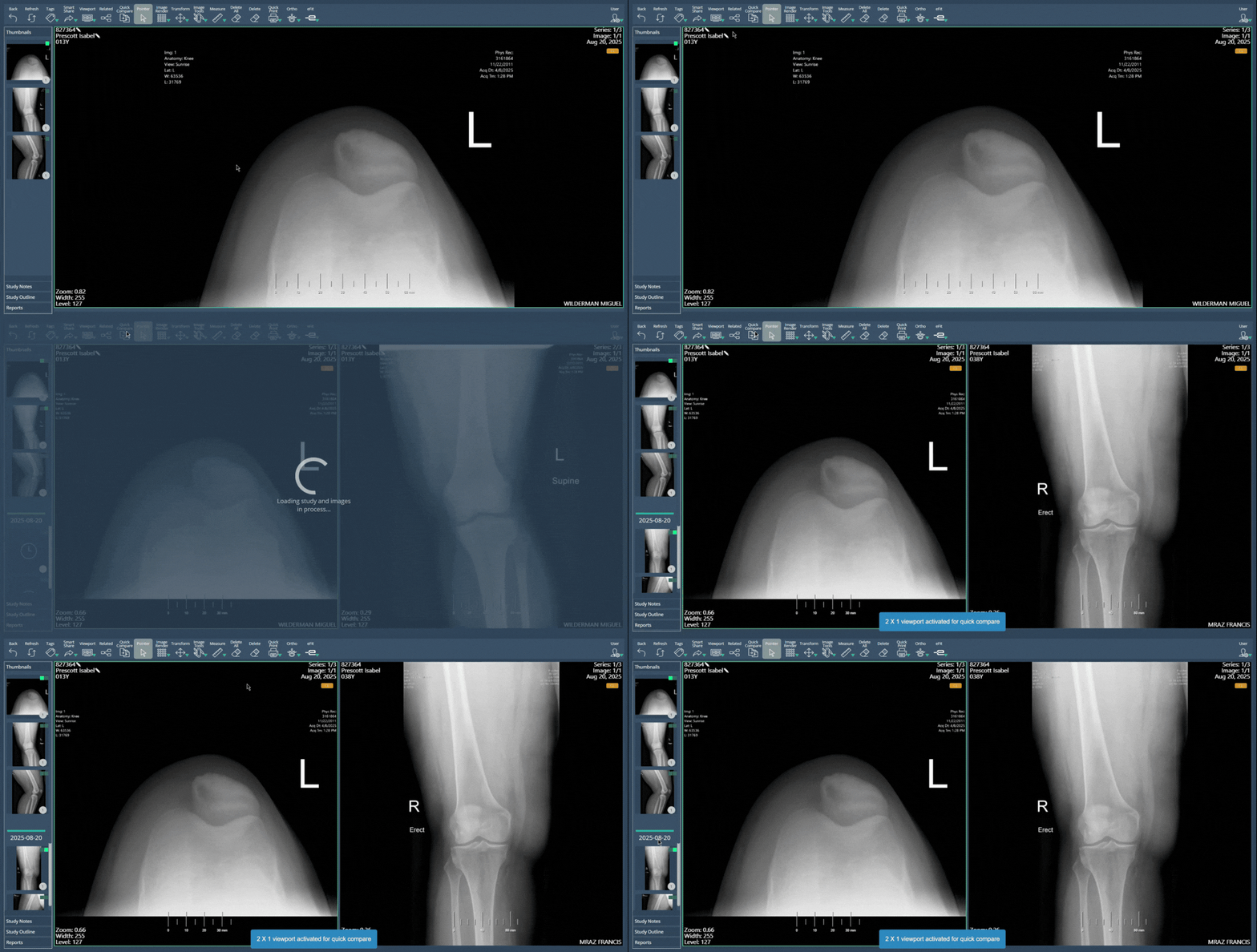
The Quick Compare functionality has been enhanced to provide more accurate and clinically relevant comparison results. When selecting a study for comparison, the system now prioritizes the most recent study of the same body part, ensuring that comparisons are based on related exams whenever possible.
If no suitable study is found, no comparison study will be opened automatically. Users who wish to compare against other studies can continue using the Related option, which provides access to the patient's full study history.
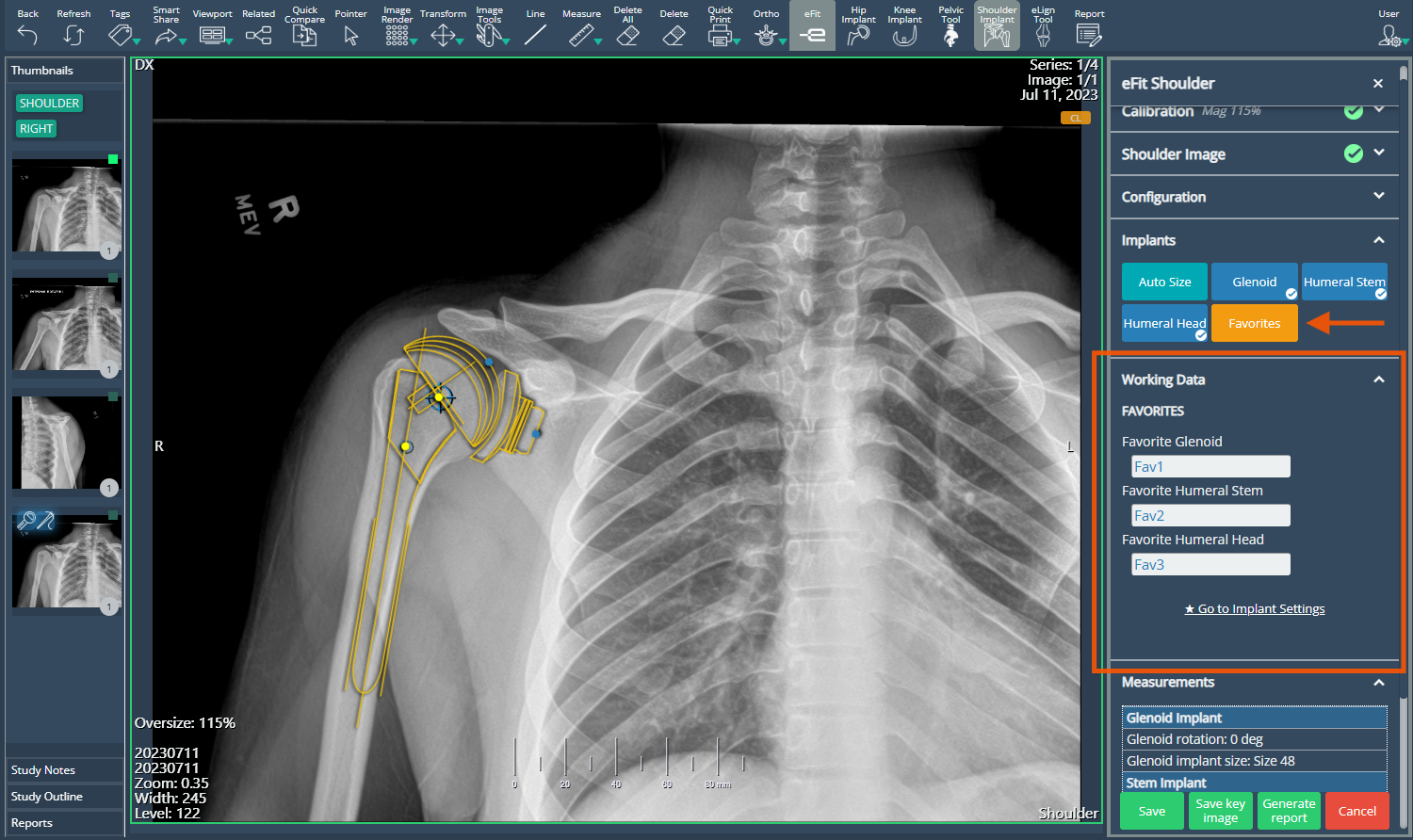
Favorites Support for Shoulder Implants
The Shoulder tool in eFit now supports the Favorites functionality, allowing users to save frequently used implants as favorites and access them directly from the Favorites menu. In addition, the Favorites menu now includes a Go to Implant Settings shortcut, providing a consistent experience across the Shoulder, Hip, and Knee templating tools.
Key Image Support for Shoulder and Pelvic Templating
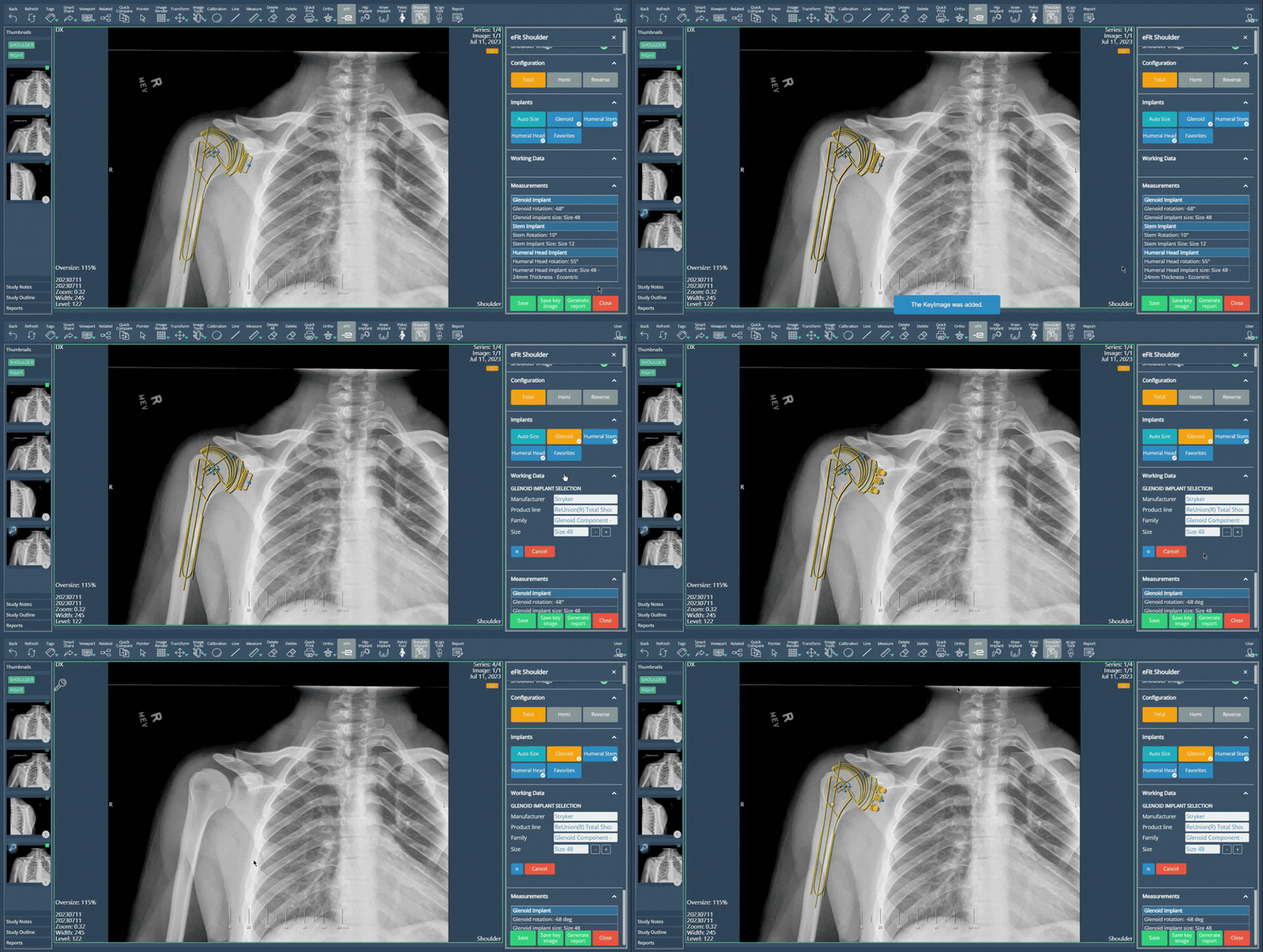
The Shoulder and Pelvic tools in eFit now include a Save Key Image option, bringing their functionality in line with the existing Hip and Knee templating workflows.
Users can save a snapshot of the current templating design directly to the study thumbnails, creating a preserved version of their work for quick access and review. This allows users to continue modifying the original image, including adding annotations or evaluating different implant options, while maintaining saved reference images throughout the planning process.
Deprecations
None
Known Issues
None
Upcoming Features
We are reviewing all the minor Ortho tools (leg alignment, pelvic and layout tools) for improved usability, as we have already done with the major Knee, Hip and Shoulder tools.
Thank you for being a valued user of Efferent. We hope these updates enhance your experience. For any questions or feedback, please contact our support team at support@efferenthealth.com