
Release Notes
Product Name:   eVue and eFit
Version Number: 5.45
Release Date:   September, 2026
Table of Contents
- Release Notes
Introduction
Welcome to the September 2026 release of Efferent eVue and eFit. This update introduces new features—including on-demand DICOM study forwarding via SmartLink and an Emergency Login URL generator—alongside key improvements like instant Worklist column auto-saving, enhanced multi-tab Report handling with unsaved-change protection, and intuitive Back-button navigation. Additionally, critical bug fixes resolve frame sequencing inconsistencies during multiframe Cine playback in Tile Mode and restore proper thumbnail rendering for uploaded PDF files.
New Features
DICOM Study Forwarding
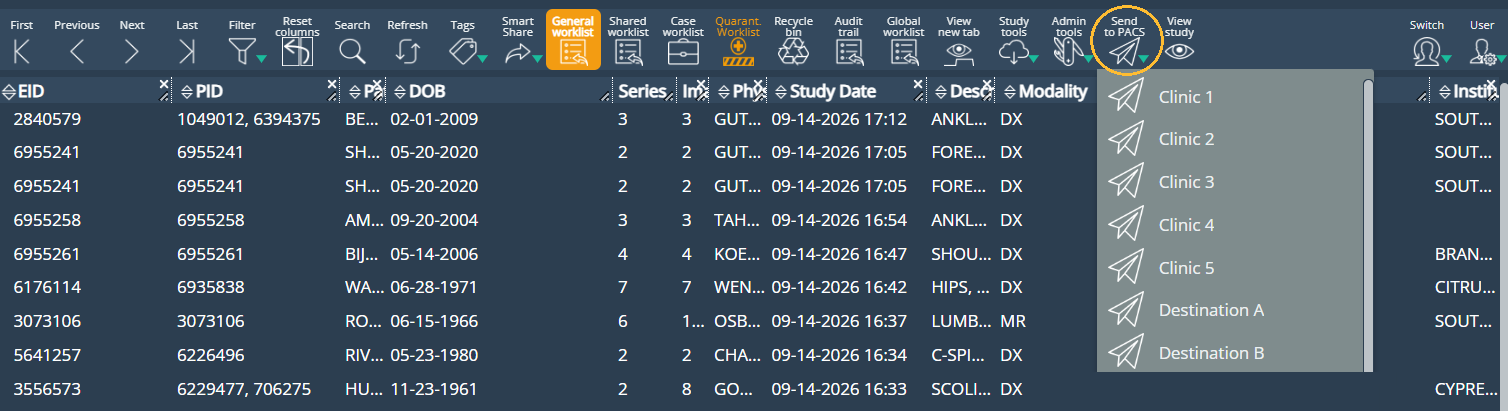
Users can now forward studies to external DICOM entities via SmartLink directly from the platform toolbar using a dedicated dropdown menu that displays available target destinations. This functionality is available upon request as an add-on feature.
Emergency Login Link Request:
Administrators can now request secure, temporary Emergency Login URLs to quickly grant users immediate access without standard credentials. By specifying the user's email, role, target application, and organization, a unique, tokenized link is generated for the current environment—complete with a one-click copy button—to streamline urgent access management while preserving strict security standards and audit compliance.
Improvements
Streamlined First-Time Access and Password Reset
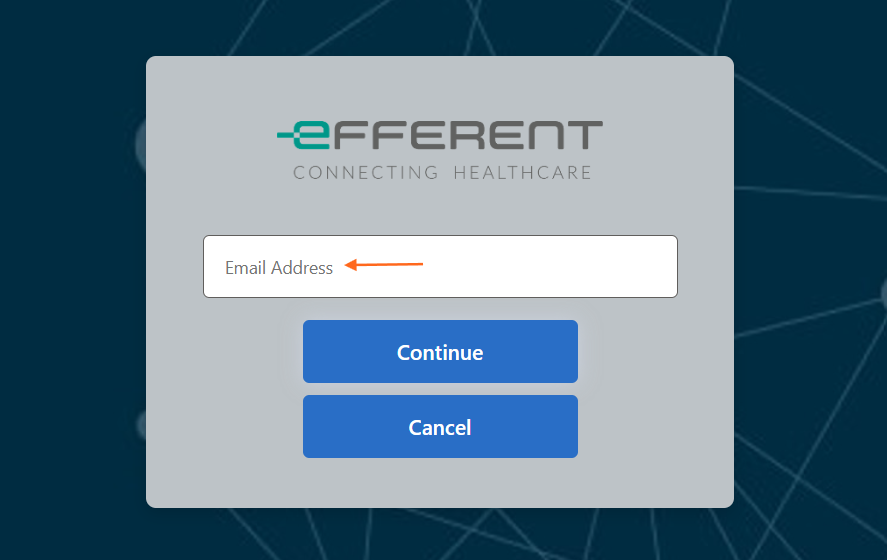
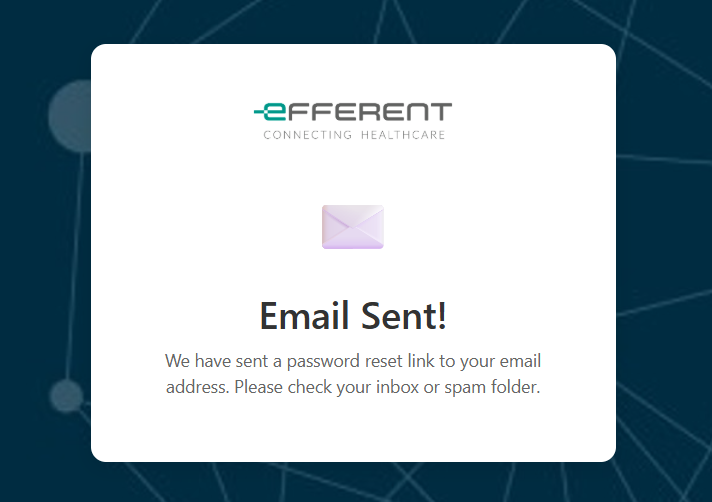
Setting up a password for newly invited organization users, configuring a password for first-time SmartShare recipients (patients and practitioners), or resetting a password via "Forgot password?" is now faster and more intuitive without entering a verification code. Users simply enter their email address in the platform to receive a direct link to set or update their password—reducing friction and extra steps while preserving account security.
Improved Back Button Navigation in Nested Workflows
Improved the Back button logic to ensure users consistently return to their immediately previous view within nested workflows (such as Pick Patient/Referrer/Location in Edit Study, or Go to List in Manage Practitioners), preserving view state where applicable. Prevents unintentional redirects to the General Worklist, providing an intuitive, predictable navigation experience across all action paths.
Improved Worklist Column Resizing Interaction and Persistence
Column width adjustments across all Worklists now persist instantly, ensuring your custom layout is preserved even when navigating away immediately, while removing unnecessary toaster notifications and individual reset icons ("X") to prevent interference with header Search controls and deliver a smoother, distraction-free experience.
Report Form Navigation and Unsaved Changes Protection
The Back button in the standalone Report browser tab has been replaced with a Close button to cleanly exit the tab instead of redirecting to the General Worklist, and a confirmation prompt now safeguards users against accidentally losing unsaved changes when closing or canceling an active report.
Bug Fixes
Multiframe Series Tile Mode Scrolling Fix:: Resolved an issue in Tile Mode where scrolling through a multiframe series across multi-viewport layouts caused frame sequences to become inconsistent, ensuring frames now advance sequentially without skipping, duplicating, or displaying out of order.
Multiframe Cine Playback in Tile Mode Fix: Resolved an issue where starting Cine playback on multiple viewports in Tile Mode caused an active viewport to render blank frames while the frame counter advanced, ensuring continuous, synchronized image rendering across all viewports during playback.
PDF Thumbnail Display Fix:: Resolved an issue where uploading multiple PDF files via Study Tools caused the series thumbnail view to appear empty, ensuring PDF files are now rendered correctly in the thumbnail display.
Deprecations
None
Known Issues
None
Upcoming Features
None
Thank you for being a valued user of Efferent. We hope these updates enhance your experience. For any questions or feedback, please contact our support team at support@efferenthealth.com