
Release Notes
Product Name:   eVue and eFit
Version Number: 5.46
Release Date:   October, 2026
Table of Contents
- Release Notes
Introduction
Welcome to the October 2026 release of Efferent eVue and eFit. This update brings key improvements across the platform—including a unified UI standardization for General and Viewer Settings, a redesigned Overlay Text configuration tool, enhanced navigation in the Related Studies view, and smart auto-population for Shoulder implant planning. Additionally, critical bug fixes resolve DICOM viewer crashes during resolution changes and restore default settings visibility for Patient and Guest accounts.
Improvements
Platform-Wide UI Standardization across General and Viewer Settings
Standardized the layout, visual hierarchy, and user interaction across all General Settings (Platform, Practitioner, Routing Rules) and Viewer Settings (Imaging Study, DICOM, Ortho) views. All configuration tabs now utilize the approved modular card/container design system, improving screen space utilization and ensuring full Dark/Light theme consistency.
Unified Card/Container Design: Restructured all settings views into clean, modular containers with consistent headers, spacing, and control alignments across both Light and Dark themes.
General Settings Modernization (Platform, Practitioner, Routing Rules):
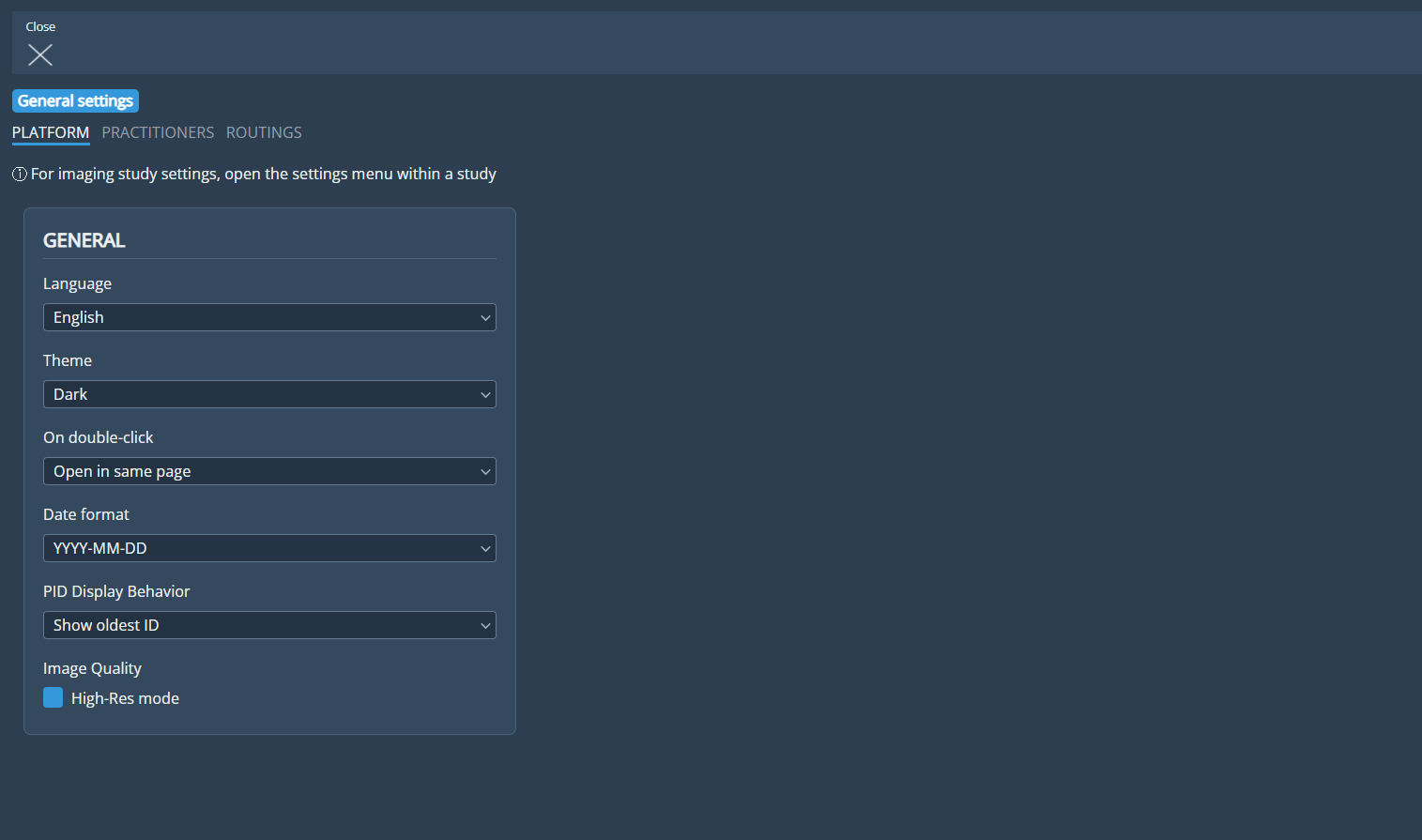
Standardized Messaging: Replaced legacy asterisk (*) indicators with unified informational icons (ⓘ) and standardized helper text across all tabs.
Dedicated Sections: Introduced a dedicated Image Quality section in the Platform tab to group High-Res mode controls.
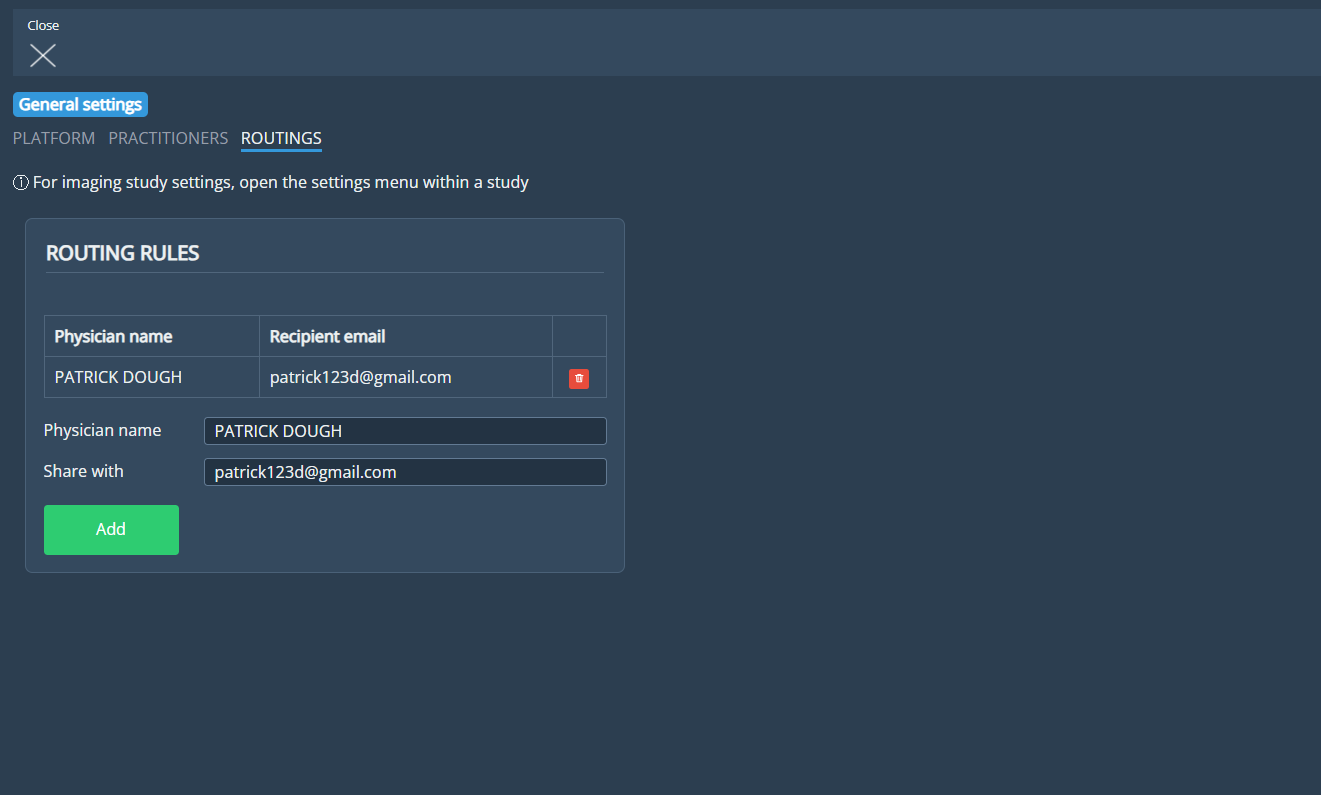
Routing Rules Tables: Converted Physician Names and Shared With lists into structured data tables with explicit input placeholders (Name, Email).
Viewer Settings & Layout Optimization (Imaging Study, DICOM, Ortho):
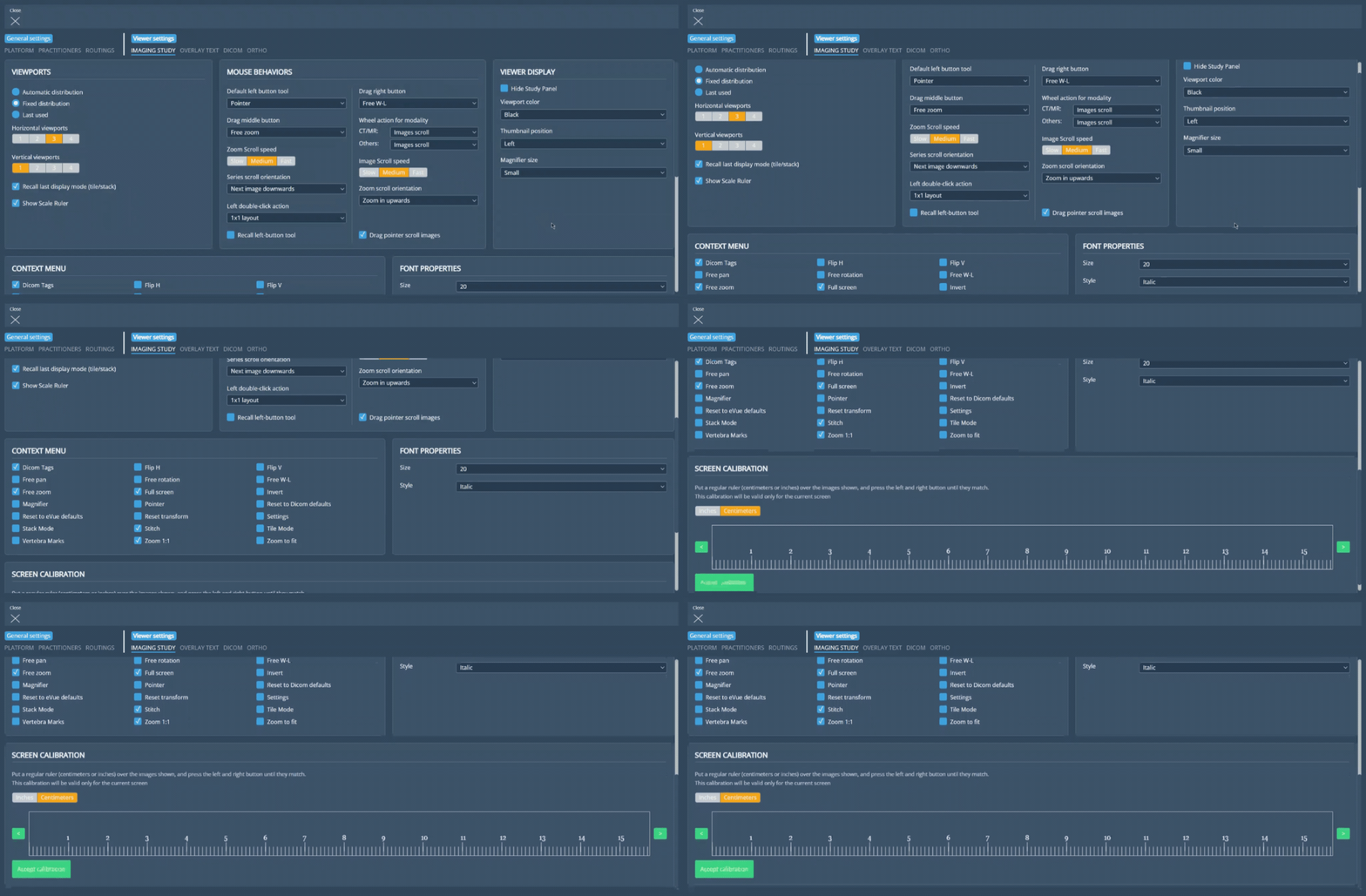
Imaging Study Redesign: Reorganized settings into six distinct card sections (Viewport, Mouse behaviors, Viewer display, Context menu, Font properties, Screen calibration) using multi-column grid layouts to reduce vertical scrolling. Renamed ambiguous labels for clarity.
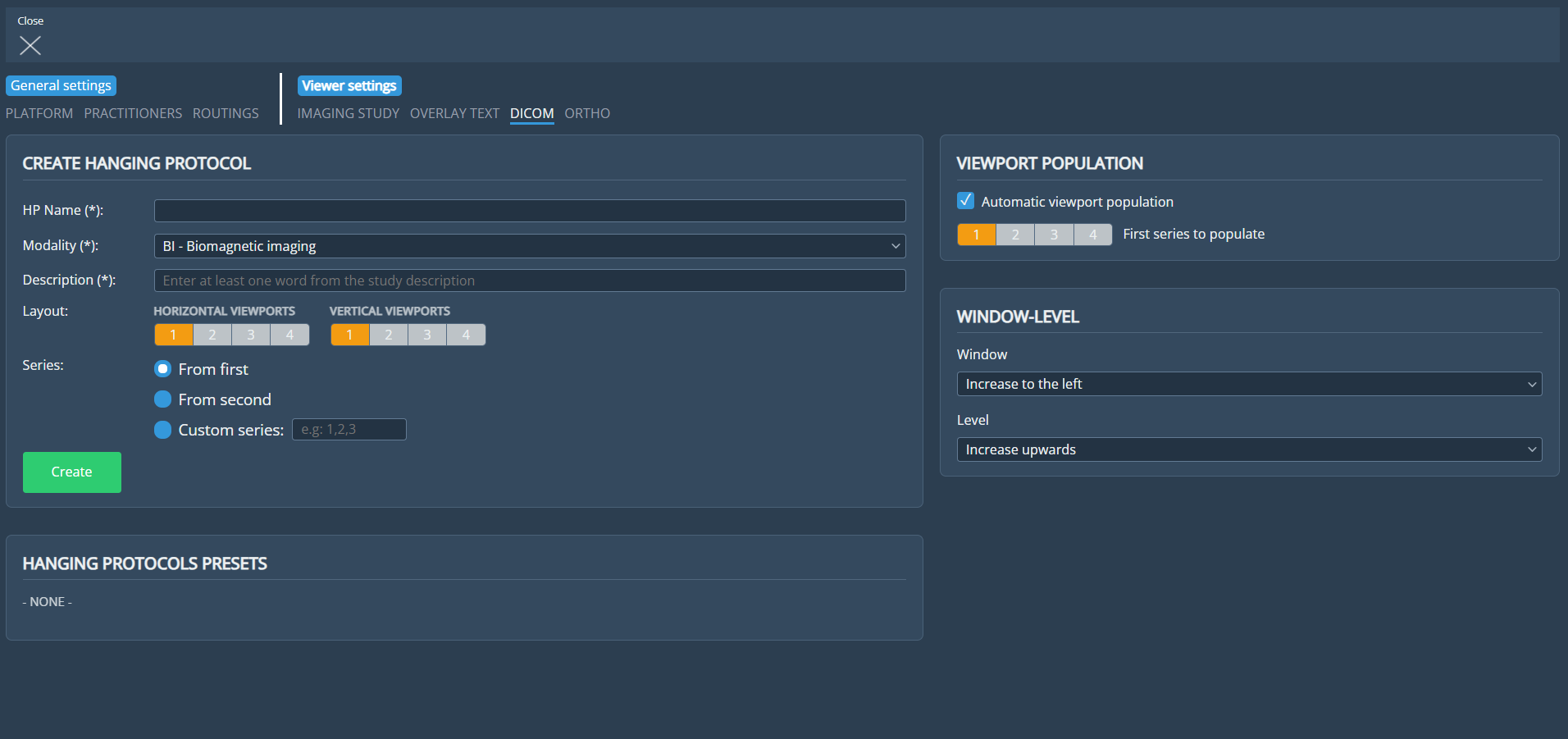
DICOM Guidance: Identified required Hanging Protocol fields (HP Name, Modality, Description) with explicit required indicators (*) and added contextual input placeholders.
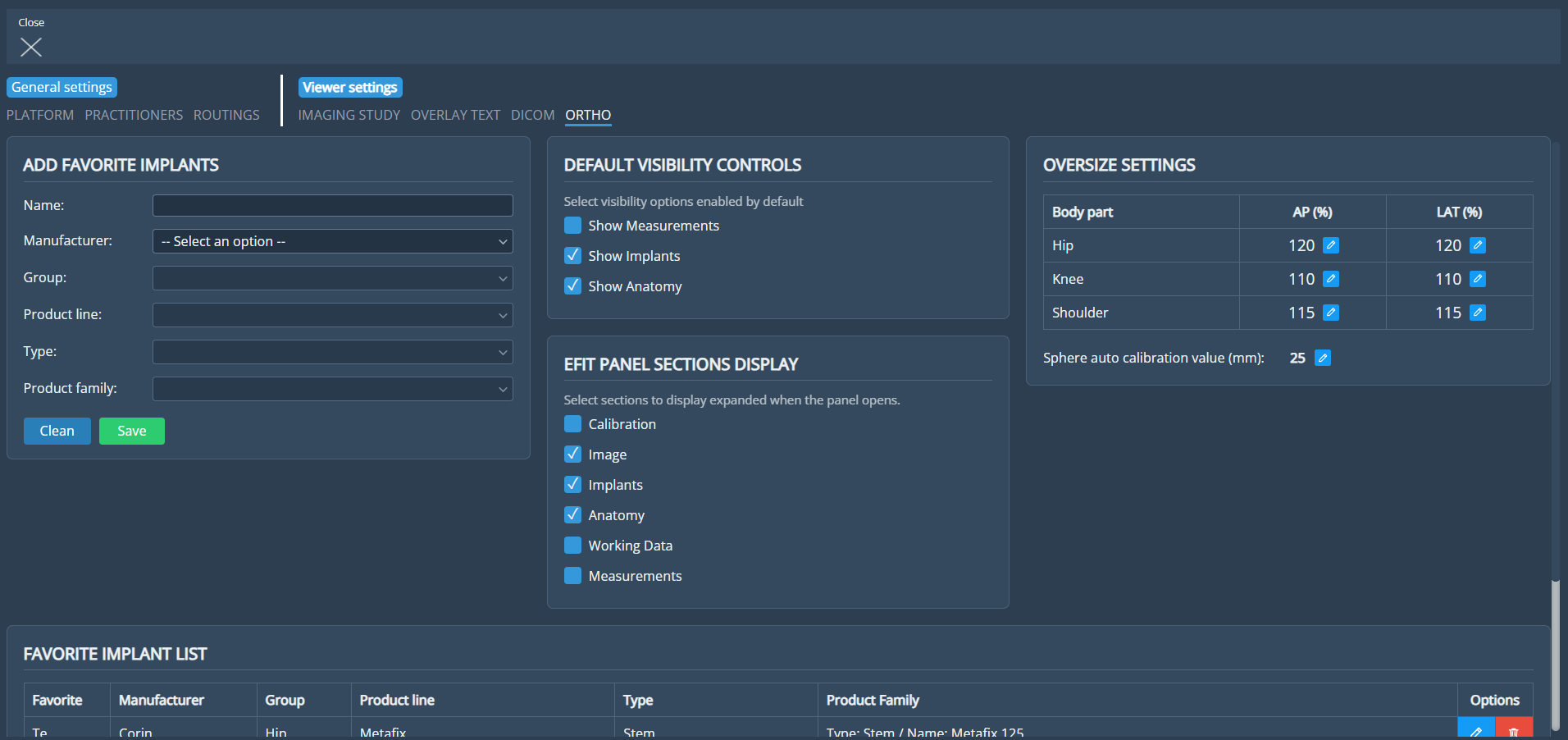
Ortho Refinements: Renamed section to ADD FAVORITE IMPLANTS and cleaned up table column headers (Product Family).
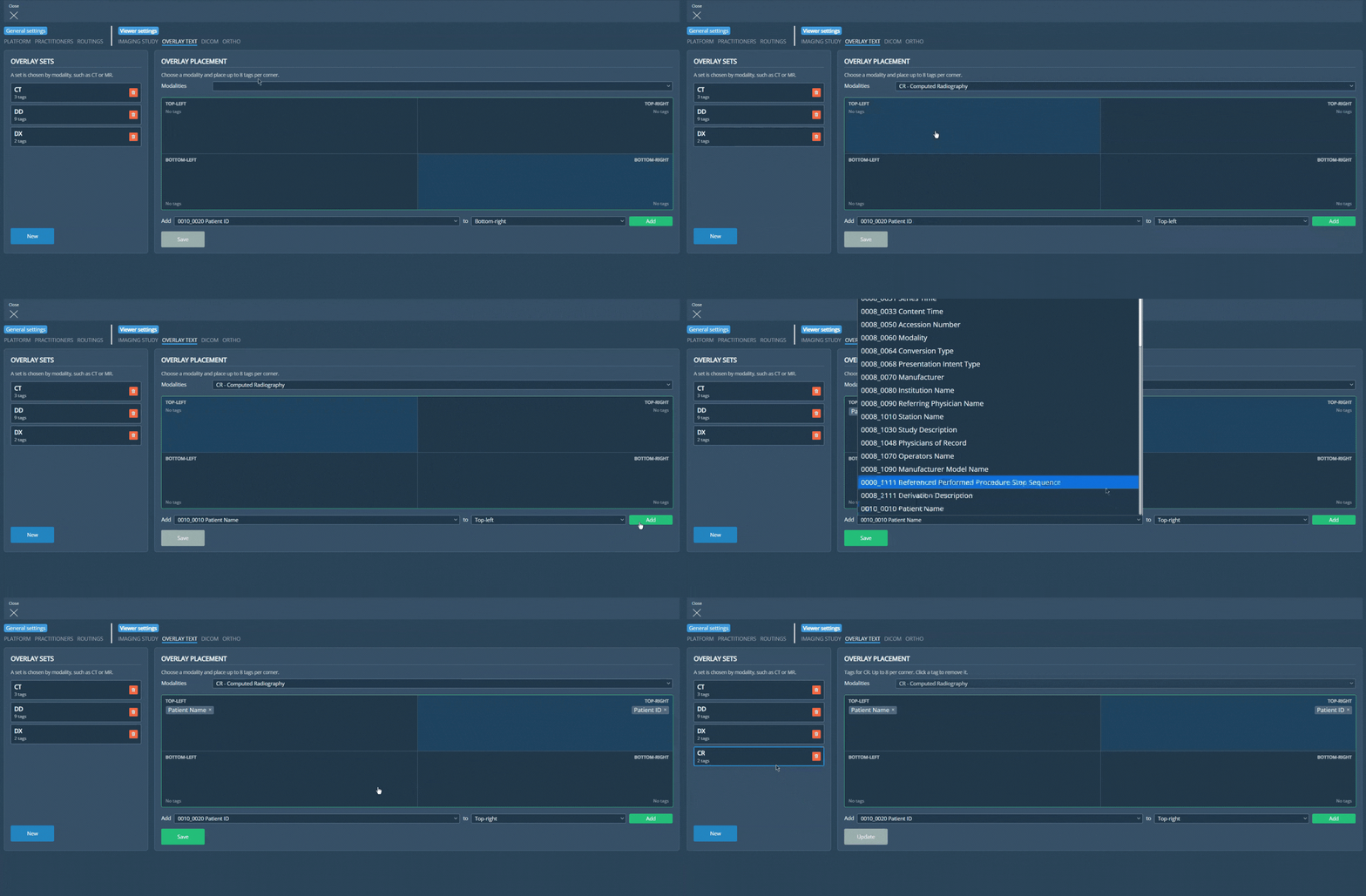
Redesign of the Overlay Text Configuration view
Redesigned the Viewer Settings → Overlay Text view with a card-container layout, an interactive 4-corner viewport preview, and improved overlay management:
Two-Panel Layout: Organized the configuration into OVERLAY SETS on the left (to manage modality-based sets, monitor tag counts, and initiate new sets) and OVERLAY PLACEMENT on the right (for tag assignments and positioning).
Interactive 4-Corner Viewport Preview: Added a 2x2 grid representing TOP-LEFT, TOP-RIGHT, BOTTOM-LEFT, and BOTTOM-RIGHT viewport corners (supporting up to 8 tags per quadrant). Clicking any corner automatically synchronizes with the Position selector.
Inline Tag Assignment: Reorganized tag controls into an inline row (Add [Tag] to [Position] [Add]) positioned beneath the viewport grid for clearer workflow execution.
Contextual Actions & Persisted Drafts: Placed contextual Save / Update buttons at the bottom of the placement panel, implemented draft persistence across settings tabs, and eliminated redundant toast pop-ups upon deletion for a cleaner UI experience.
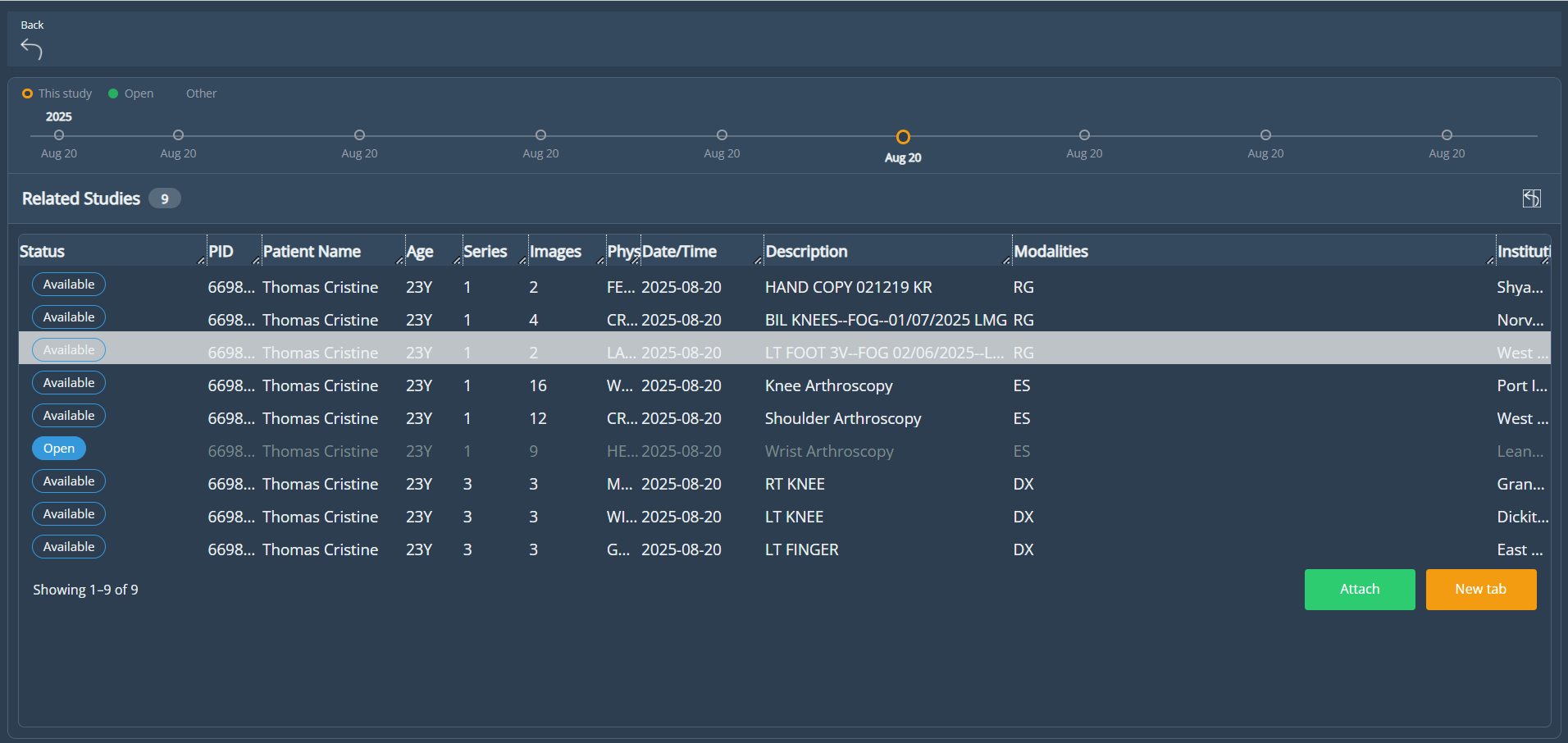
UI and Navigation Improvements for Related View
Enhanced the Related Studies view with updated navigation controls, refined study state logic, and consistent Worklist styling:
Updated Navigation & Controls: Added a "Reset Columns" button and header. Replaced "Close" with a "Back" button (returning to the active study) and removed the "Cancel" button.
Refined Open Study State & Actions: Open studies now render in muted gray. Selecting an open study dynamically disables the "Attach" action while keeping "New Tab" active, preventing invalid interactions and eliminating legacy error pop-ups ("This study is already open").
Preserved View on New Tab: Opening a study in a new browser tab now maintains the Related Studies view in the primary tab instead of navigating away.
Visual Polish: Added a bottom list border to align with other Worklists and enhanced the overall UI appearance.
Auto-Population of Shoulder Implant Selections
Implemented auto-population for implant comboboxes in the Shoulder planning panel (including Glenoid, Humeral Stem, Humeral Head, and Reverse options). The system now remembers the last used implant—whether selected manually, via AI, or from Favorites—and automatically restores these selections when reopening a study, eliminating the need to reselect components and streamlining the planning workflow.
Bug Fixes
DICOM Viewer Crash on Resolution Change: Resolved an issue where changing the display resolution caused the DICOM viewer to crash or fail to render images due to duplicate metadata tags and mismatched Transfer Syntax UIDs. These metadata inconsistencies have been corrected to ensure stable image rendering across all resolutions.
Missing Settings in Platform Tab for Patient and Guest Accounts: Resolved an issue where the default settings within the Platform tab failed to display when Patient or Guest accounts accessed the Settings menu from an open study. The expected platform settings are now correctly populated and visible for these users.
Deprecations
None
Known Issues
None
Upcoming Features
None
Thank you for being a valued user of Efferent. We hope these updates enhance your experience. For any questions or feedback, please contact our support team at support@efferenthealth.com